

Table of Contents
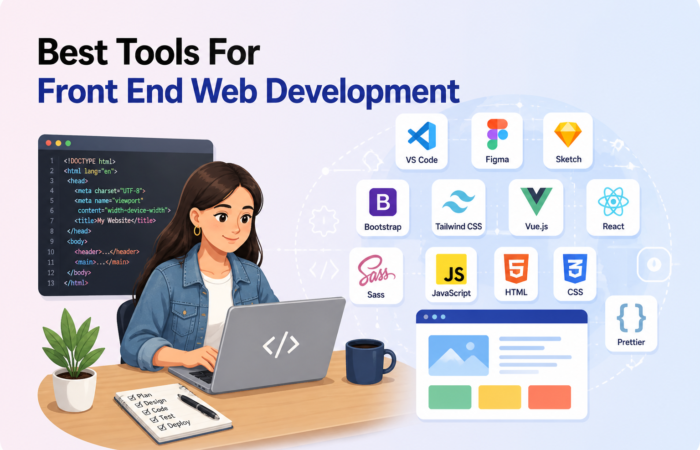
Front end developers and IT professionals often face the challenge of selecting the right tools from a vast and ever-evolving ecosystem. Choosing inefficient or outdated software can lead to slower development cycles, buggy interfaces, and difficulty maintaining code quality. This creates frustration and hampers productivity, especially when deadlines are tight, and project complexity increases. Finding the best tools for front end web development is crucial to streamline workflows, improve code quality, and deliver seamless user experiences.
In this blog post, we’ll explore the most effective and widely-used tools for front end development, including code editors, build tools, CSS frameworks, and testing utilities. Whether you’re a seasoned developer or just starting, understanding these tools will empower you to build faster, more maintainable, and responsive web applications.
Let’s dive into the essential toolkit that every front end professional should know in 2025.
Why the Right Tools Matter in Front End Development
Choosing the best tools for front end web development is crucial because:
- Save Time and Effort: The right tools help you write code faster and fix problems more easily, so you spend less time stuck and more time building.
- Improve Code Quality: Good tools catch mistakes early and encourage clean, organized code, making your projects easier to maintain.
- Keep Up with Technology: Front end development changes quickly. Modern tools help you work with the latest frameworks and techniques without hassle.
- Boost Productivity: Features like code completion, debugging, and automation speed up your workflow and reduce repetitive tasks.
- Enhance Collaboration: Many tools support version control and team workflows, making it easier to work smoothly with others.
- Deliver Better User Experience: Efficient tools allow you to create responsive, fast-loading websites that users enjoy.
In short, picking the right front end tools helps you build high-quality web apps faster and with less frustration. Let’s start by exploring some of the best code editors and integrated development environments (IDEs) that developers rely on daily.
Code Editors & IDEs
a. Visual Studio Code
Visual Studio Code (VS Code) is a lightweight yet powerful open-source code editor developed by Microsoft. It offers a clean and intuitive interface, making it accessible for both beginners and experienced developers. One of its biggest strengths is the extensive marketplace filled with extensions that enhance functionality for front end development. VS Code also supports multiple programming languages and integrates seamlessly with various development tools.
Key Features:
- Intelligent code completion with Intellisense for faster coding
- Built-in Git integration for version control and collaboration
- Integrated terminal allowing command-line access within the editor
- Vast extension marketplace to customize and extend functionality
Ideal Use Case:
- Developing scalable front end applications with modern JavaScript frameworks
- Managing code repositories and collaborating using Git directly inside the editor
- Customizing the development environment with extensions for linting, debugging, and more
b. Sublime Text
Sublime Text is a fast and minimalistic code editor favored by many front end developers for its simplicity and responsiveness. Its lightweight design ensures that it launches quickly and handles large files without lag. Despite its minimalism, Sublime Text offers powerful features that enhance coding efficiency. It supports a wide range of programming languages and can be extended through plugins to fit different workflows.
Key Features:
- Multiple cursors for simultaneous editing in different parts of the code
- Command palette for quick access to functions and commands
- Extremely fast performance with low memory usage
- Customizable through plugins and themes
Ideal Use Case:
- Making quick edits or small changes to front end code
- Lightweight projects where speed and simplicity are prioritized
- Developers who prefer a distraction-free coding environment
Version Control & Collaboration
a. Git + GitHub
Git is the industry-standard distributed version control system that helps developers track changes, manage code history, and collaborate efficiently. GitHub, built on top of Git, is a popular cloud-based platform that adds powerful collaboration features such as pull requests, issue tracking, and code reviews. Together, they form an essential part of the modern front end development workflow, enabling teams to work seamlessly across different locations and maintain clean, organized codebases.
Key Features:
- Branching and merging to manage multiple versions of a project effortlessly
- Pull requests for peer reviews and controlled code integration
- Issue tracking to monitor bugs, features, and project tasks
- Collaboration tools that facilitate teamwork and communication
Ideal Use Case:
- Managing the entire codebase history and version control for front end projects
- Coordinating teamwork and collaboration across small to large development teams
- Maintaining code quality through structured reviews and issue tracking
b. GitLab / Bitbucket
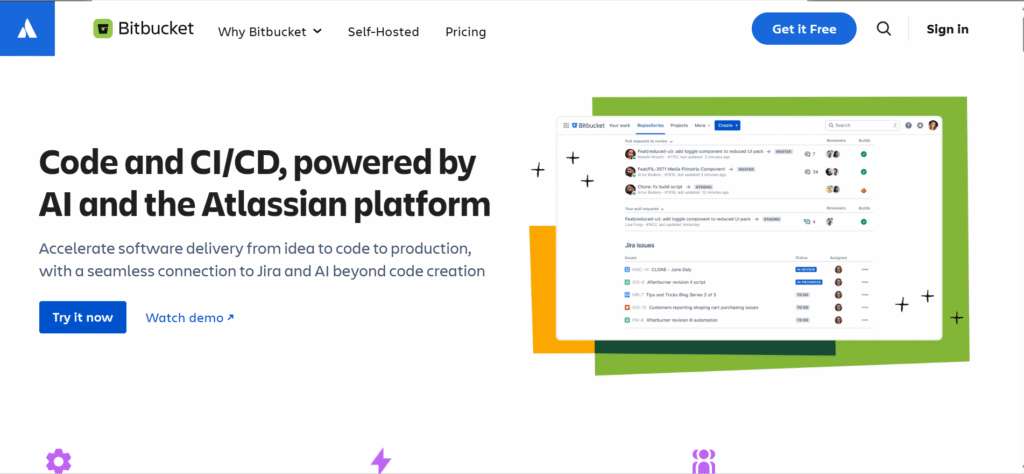
GitLab and Bitbucket are popular alternatives to GitHub, offering Git repository hosting with additional built-in features tailored for DevOps workflows. Both platforms provide seamless integration of Continuous Integration and Continuous Deployment (CI/CD) pipelines, enabling automated testing and deployment right from the repository. They support private repositories and advanced project management tools, making them ideal for teams looking for an all-in-one development and deployment solution.
Key Features:
- Integrated CI/CD pipelines to automate testing and deployment
- Support for private repositories ensuring code security
- Issue boards and project tracking to manage workflows efficiently
- Code review and collaboration tools
Ideal Use Case:
- Development teams needing built-in automation for testing and deployment
- Projects that require secure, private code hosting
- Teams looking for integrated project management alongside version control
Package Managers
a. npm (Node Package Manager)
npm is the default package manager for the Node.js ecosystem and plays a crucial role in managing JavaScript libraries and dependencies. It provides access to the largest collection of open-source packages, making it easy for developers to integrate third-party tools and libraries into their projects. With a user-friendly command-line interface (CLI), npm simplifies installing, updating, and managing dependencies for front end development.
Key Features:
- Extensive package registry with millions of JavaScript libraries
- Command-line tools for efficient dependency installation and updates
- Supports semantic versioning for managing package versions
- Easy integration with build tools and task runners
Ideal Use Case:
- Managing dependencies in modern JavaScript frameworks like React, Angular, and Vue
- Automating package installation and updates during development
- Sharing reusable code libraries across projects
b. Yarn
Yarn is a popular alternative to npm that focuses on improving speed, reliability, and consistency in dependency management. It introduced features like offline caching and deterministic installs to address some limitations found in npm’s earlier versions. Yarn supports workspaces, allowing developers to manage multiple packages within a single repository, which is especially useful for large projects and monorepos.
Key Features:
- Offline caching for faster installs without internet access
- Deterministic installs to ensure the same dependency tree across environments
- Workspaces support for managing multiple packages in one repo
- Enhanced performance and error reporting
Ideal Use Case:
- Large teams and projects needing fast, consistent package installations
- Managing monorepos with multiple interdependent packages
- Developers requiring reliable dependency management for complex front end apps
Build Tools & Task Runners
a. Webpack
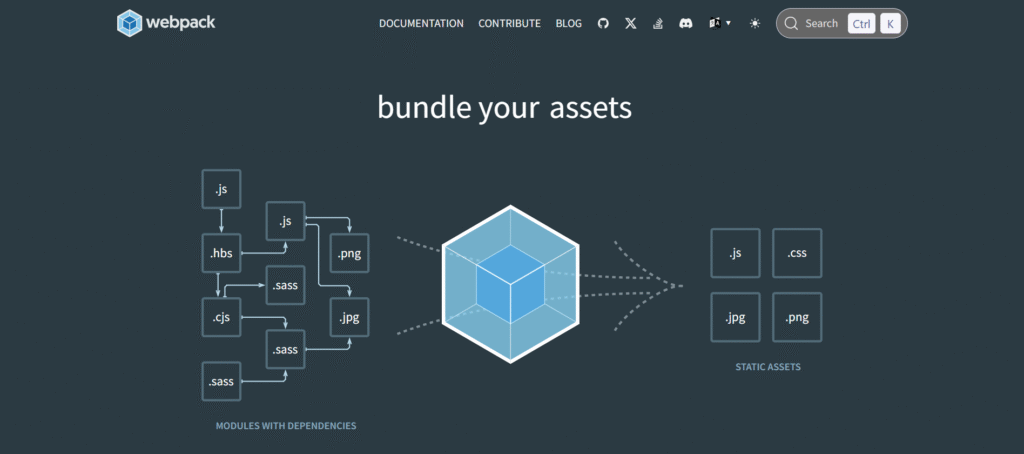
Webpack is a powerful and highly configurable module bundler for JavaScript applications. It allows developers to bundle and transform various assets like JS, CSS, and images into optimized files for the browser. Webpack is ideal for complex front end architectures, as it supports code splitting and tree shaking to enhance performance. Its robust plugin and loader ecosystem makes it adaptable for a wide range of project needs.
Key Features:
- Code splitting for faster load times
- Asset optimization for performance improvements
- Rich plugin and loader ecosystem
- Supports hot module replacement for live updates
Ideal Use Case:
- Building and optimizing complex single-page applications (SPAs)
- Managing multiple asset types like JavaScript, CSS, and images
- Customizing build processes using loaders and plugins
b. Vite
Vite is a modern front end build tool that offers an extremely fast development experience, especially for JavaScript frameworks like Vue and React. It leverages native ES modules and provides instant server startup and hot module replacement (HMR), making development smooth and efficient. Vite’s minimal configuration and speed make it an excellent choice for developers who want quick feedback and fast builds.
Key Features:
- Native ES module support for faster builds
- Lightning-fast hot module replacement (HMR)
- Out-of-the-box support for Vue, React, and other frameworks
- Simple configuration and fast cold starts
Ideal Use Case:
- Projects built with modern frameworks like Vue, React, or Svelte
- Developers needing rapid development and iteration cycles
- Small to medium-sized projects that benefit from quick setup and performance
C. Gulp
Gulp is a JavaScript-based task runner that automates repetitive tasks in the front end workflow. It uses a streaming build system that allows developers to chain operations like file minification, CSS preprocessing, and browser reloading. Gulp is highly customizable and works well for projects that need tailored build processes without the overhead of more complex bundlers.
Key Features:
- Stream-based build system for efficient file handling
- Supports a wide range of plugins for different automation tasks
- Customizable pipelines to fit specific workflow needs
- Easy integration with browsers for live reloading
Ideal Use Case:
- Automating tasks like CSS preprocessing, minification, and image optimization
- Developers who prefer simple, customizable build automation
- Projects that require lightweight task management without full bundling
CSS Frameworks & Preprocessors
a. Tailwind CSS
Tailwind CSS is a utility-first CSS framework that allows developers to build responsive, custom UIs directly in their HTML. Instead of writing custom CSS, developers use predefined utility classes that streamline styling and layout. Tailwind is highly customizable through configuration files and supports plugins, making it ideal for building modern, maintainable front end interfaces quickly.
Key Features:
- Utility-based classes for fast and flexible design
- Fully customizable via configuration files
- Built-in responsive design and dark mode support
- Rich plugin ecosystem for extended functionality
Ideal Use Case:
- Developers who want full design control without writing custom CSS
- Projects needing a consistent and scalable design system
- Teams focused on building modern UIs with rapid development cycles
b. Bootstrap
Bootstrap is a widely-used front end framework that includes pre-built components, a responsive grid system, and JavaScript plugins. It’s perfect for developers who want to prototype quickly or implement responsive designs with minimal custom CSS. With robust documentation and a large community, Bootstrap is a reliable option for building standard and mobile-first web layouts.
Key Features:
- 12-column responsive grid system
- Ready-to-use UI components like modals, navbars, and buttons
- Built-in JavaScript plugins for interactivity
- Extensive documentation and community support
Ideal Use Case:
- Quick prototyping of websites and apps
- Building standard, responsive layouts without custom CSS
- Developers seeking consistent UI with minimal setup
C. Sass / SCSS
Sass (Syntactically Awesome Stylesheets) is a CSS preprocessor that extends the functionality of regular CSS by adding features like variables, mixins, nesting, and functions. Sass helps organize and simplify stylesheets, making them easier to maintain, especially in large projects. SCSS is the more popular syntax of Sass, closely resembling traditional CSS.
Key Features:
- Variables, mixins, and functions for reusable code
- Nesting and partials for better stylesheet structure
- Modular architecture for scalable CSS
- Compatible with most modern CSS frameworks and build tools
Ideal Use Case:
- Large-scale projects requiring maintainable and modular CSS
- Developers who want to reuse code and keep stylesheets DRY (Don’t Repeat Yourself)
- Teams working on collaborative UI development with shared design systems
JavaScript Frameworks & Libraries
a. React
React is a popular component-based JavaScript library developed by Meta (formerly Facebook) for building dynamic and interactive user interfaces. It uses a virtual DOM to optimize rendering and offers features like hooks for managing state and side effects. With a massive ecosystem of tools and libraries, React is ideal for building scalable single-page applications (SPAs) and reusable UI components.
Key Features:
- Virtual DOM for efficient rendering
- Hooks API for state and lifecycle management
- Large ecosystem of libraries and community support
- Component-based architecture for reusable UIs
Ideal Use Case:
- Building complex single-page applications (SPAs)
- Projects that need reusable and dynamic UI components
- Teams requiring flexibility and a vast ecosystem of third-party tools
b. Vue.js
Vue.js is a progressive JavaScript framework designed to be incrementally adoptable. It offers a gentle learning curve, making it beginner-friendly while still being powerful enough for advanced use cases. Vue combines the best features of React and Angular, offering reactive data binding, a component system, and excellent performance with a lightweight core.
Key Features:
- Reactive data binding for seamless UI updates
- Component-based architecture
- Lightweight and fast with minimal setup
- Easy integration into existing projects
Ideal Use Case:
- Developers seeking an approachable framework with flexibility
- Incrementally adopting modern features into legacy projects
- Building interactive UI elements or full SPAs with minimal overhead
C. Angular
Angular is a robust, full-fledged front end framework developed and maintained by Google. It provides a comprehensive set of tools for building enterprise-level web applications, including two-way data binding, built-in routing, and form validation. With TypeScript at its core, Angular supports strong typing and advanced tooling, making it ideal for complex projects.
Key Features:
- Two-way data binding for real-time UI updates
- Dependency injection and services architecture
- Built-in CLI for rapid scaffolding and development
- TypeScript-based for better code maintainability
Ideal Use Case:
- Enterprise-grade applications with large teams and complex logic
- Developers needing a complete, opinionated framework
- Projects requiring robust tooling, testing, and scalability
API Testing & Development Tools
a. Postman
Postman is a powerful API development and testing platform that simplifies the process of sending requests, inspecting responses, and documenting APIs. It offers an intuitive interface for creating and organizing HTTP requests, making it a go-to tool for front end developers who need to interact with backend services. Postman also supports automated testing and team collaboration, helping streamline API workflows.
Key Features:
- Easy-to-use interface for building and sending HTTP requests
- Automated testing with scripts and test suites
- API documentation and mock server generation
- Team collaboration features for shared workspaces and version control
Ideal Use Case:
- Front end developers validating API responses and endpoints
- Testing and debugging RESTful services during development
- Collaborating with backend teams on API documentation and integration
Performance & Optimization Tools
a. Lighthouse
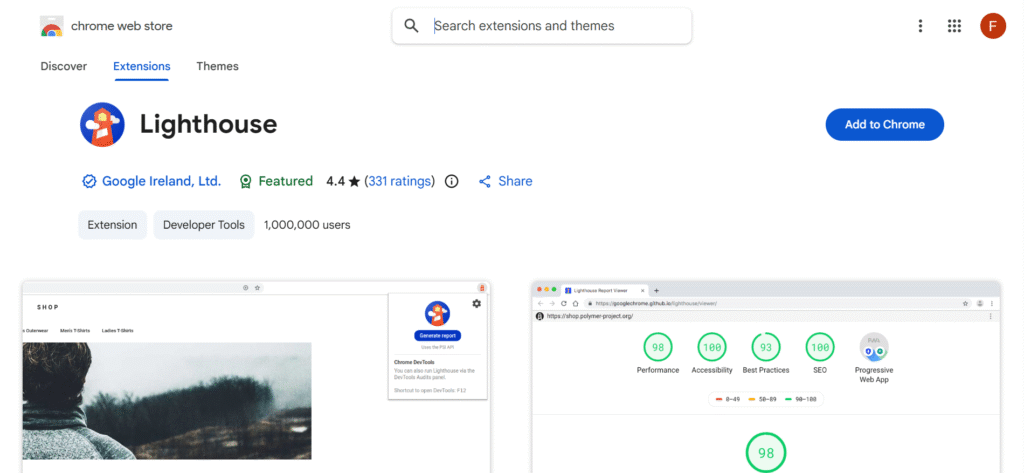
Lighthouse is an open-source automated tool by Google that helps developers improve the quality of web pages. It performs audits on performance, accessibility, SEO, and more, providing actionable insights to enhance user experience. Lighthouse can be run in Chrome DevTools, via the command line, or as a Node module, making it highly flexible for front end developers.
Key Features:
- Performance scoring with detailed metrics
- Accessibility, SEO, and best practices audits
- Reports with suggestions for optimization
- Integration with Chrome DevTools and CI pipelines
Ideal Use Case:
- Front end developers optimizing website performance
- Teams ensuring compliance with SEO and accessibility standards
- Continuous monitoring of web app quality across updates
b. Webpack Bundle Analyzer
Webpack Bundle Analyzer is a visualization tool that helps developers understand the contents of their webpack output bundles. It generates an interactive treemap that shows which modules are contributing most to the bundle size. This makes it easier to identify inefficiencies, large dependencies, or unused code, ultimately leading to better performance.
Key Features:
- Interactive treemaps for analyzing bundle contents
- Insights into module sizes and dependencies
- Lightweight and easy to integrate with webpack configs
- Custom report generation options
Ideal Use Case:
- Diagnosing and reducing large JavaScript bundle sizes
- Identifying unused or duplicate packages
- Improving load times by optimizing asset delivery
Testing Tools for Front-End
a. Jest
Jest is a fast and user-friendly JavaScript testing framework maintained by Meta. It’s widely used for testing React applications but works seamlessly with any JavaScript project. Jest supports unit, integration, and snapshot testing out of the box, and requires minimal configuration to get started, making it a popular choice among front end developers.
Key Features:
- Snapshot testing for UI consistency
- Built-in mocking and spies for functions and modules
- Zero-configuration setup for most projects
- Fast test execution with intelligent parallelization
Ideal Use Case:
- Testing React components and logic
- Writing unit and integration tests for JavaScript applications
- Ensuring consistent UI output across updates
b. Cypress
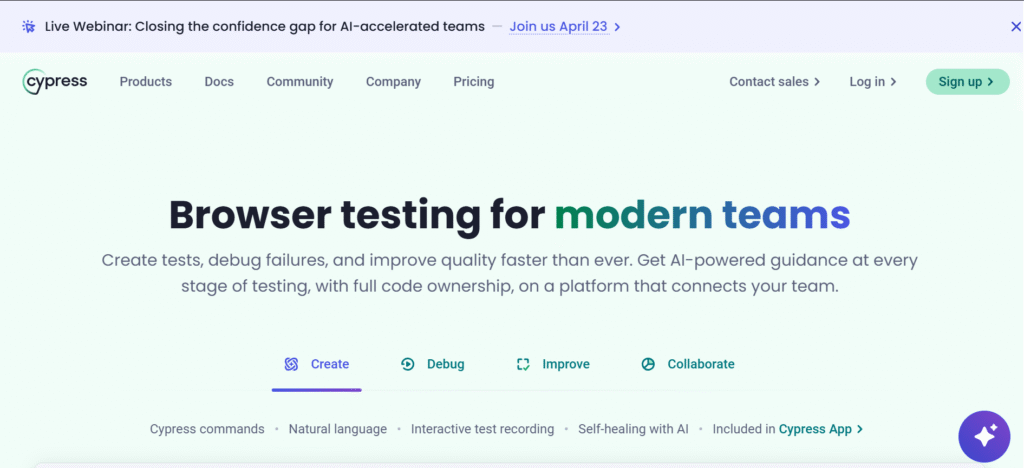
Cypress is an end-to-end testing framework designed specifically for modern web applications. Unlike traditional testing tools, Cypress runs directly in the browser, giving developers full control over the DOM and enabling features like time-travel debugging. It’s ideal for testing user interfaces and simulating real-world interactions.
Key Features:
- Real-time reloads and intuitive GUI for test execution
- Time-travel debugging with DOM snapshots
- Full control over network requests and test environment
- Easy setup and powerful APIs
Ideal Use Case:
- Writing and running end-to-end UI tests
- Automating browser-based testing workflows
- Validating complete user journeys in real-world conditions
FAQs
-
What are the best tools for front end web development in 2025?
The best front end development tools include Visual Studio Code, React, Vue.js, Tailwind CSS, Webpack, and Vite. These tools help streamline coding, improve performance, and build responsive web applications efficiently.
-
Which code editor is best for front end developers?
Visual Studio Code is widely preferred due to its extensions, built-in Git integration, and IntelliSense. However, Sublime Text is also a great choice for developers who prefer a fast and lightweight coding environment
-
Why are build tools like Webpack and Vite important?
Build tools optimize assets, bundle files, and improve load times for web applications. Tools like Webpack and Vite enhance performance, enable hot reloading, and simplify complex front end workflows.
-
What are the most popular front end frameworks and libraries?
React, Vue.js, and Angular are among the most popular front end frameworks. They help developers build dynamic, scalable, and interactive user interfaces using component-based architecture.
-
How do testing tools improve front end development?
Testing tools like Jest and Cypress help identify bugs early, ensure code reliability, and validate user interactions. They improve code quality and make applications more stable and user-friendly.
Conclusion
Choosing the best tools for front end web development in 2025 is essential for building fast, scalable, and user-friendly applications. From code editors like Visual Studio Code to frameworks such as React, Vue, and Angular, each tool plays a key role in improving development workflows. Build tools, CSS frameworks, and testing solutions further enhance performance, code quality, and collaboration. By selecting the right combination of front end development tools, developers can streamline processes, reduce errors, and deliver responsive web experiences. Staying updated with modern tools ensures long-term efficiency and helps maintain a competitive edge in today’s evolving web development landscape.


Top Salon SEO Agencies in USA
Top SEO Companies for LawFirms in USA





No Comment! Be the first one.